
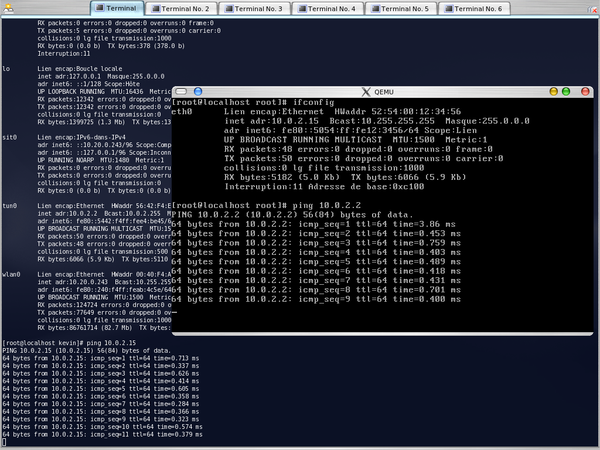
Create a file
/etc/qemu-ifup
that contain:
#!/bin/sh
sudo modprobe tun
sudo /sbin/ifconfig $1 up 10.0.2.2 netmask 255.255.255.0 broadcast 10.0.2.255

# IP masquerade
sudo echo "1" >/proc/sys/net/ipv4/ip_forward
sudo /sbin/iptables -N nat
sudo /sbin/iptables -t nat -F
sudo /sbin/iptables -t nat -A POSTROUTING -s 10.0.2.15 -j MASQUERADE
sudo /sbin/iptables -t nat -A POSTROUTING -d 10.0.2.15 -o $1
Don’t forget to give it execution permissions:
$ chmod 755 /etc/qemu-ifup
Start qemu with the following parameters:
$ qemu /home/kevin/qemu-mdk10.1.img -n /etc/qemu-ifup
Setup the network in your ghest OS in qemu:
$ ifconfig eth0 10.0.2.15
$ route add default gw 10.0.2.2
Test the visibility of the guest OS from the host OS:
$ ping 10.0.2.15
PING 10.0.2.15 (10.0.2.15) 56(84) bytes of data.
64 bytes from 10.0.2.15: icmp_seq=1 ttl=64 time=2.96 ms
64 bytes from 10.0.2.15: icmp_seq=2 ttl=64 time=0.295 ms
64 bytes from 10.0.2.15: icmp_seq=3 ttl=64 time=0.296 ms

--- 10.0.2.15 ping statistics ---
3 packets transmitted, 3 received, 0% packet loss, time 2000ms
rtt min/avg/max/mdev = 0.295/1.185/2.965/1.258 ms
Test the visibility of the host from the guest:
$ ping 10.0.2.2
PING 10.0.2.2 (10.0.2.2) 56(84) bytes of data.
64 bytes from 10.0.2.2: icmp_seq=1 ttl=64 time=1.08 ms
64 bytes from 10.0.2.2: icmp_seq=2 ttl=64 time=0.433 ms
64 bytes from 10.0.2.2: icmp_seq=3 ttl=64 time=0.383 ms

--- 10.0.2.2 ping statistics ---
3 packets transmitted, 3 received, 0% packet loss, time 2001ms
rtt min/avg/max/mdev = 0.383/0.634/1.087/0.321 ms