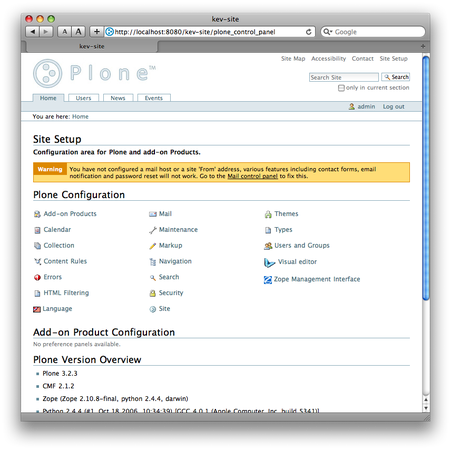
In this post I’ll show you how I installed Python 2.4 on
Mac OS X Leopard
and how, starting from a bare
Python environment, we can build a stand-alone Zope 2.10 instance with Plone
3.2 thanks to
zc.buildout
.
If your goal is to play with or evaluate Plone (or if you don’t know what
zc.buildout
is), then this article will lead you to some troubles and pain.
The Plone community maintain a collection of out-of-the-box and ready-to-use
installers for all major platforms. So before going further, I strongly advise
you to use the
official Plone installer for Mac OS
X
. This is much simpler and faster than the
process described below.
Now that all Plone newcomers are redirected to the right place, I can start to talk about how to install Python 2.4 on Mac OS X. Why the 2.4 release? That’s simple: Mac OS X Leopard ships with Python 2.5, but Plone 3 requires Python 2.4.
To get Python 2.4 on your machine, you can install it from its source code . But this is too much work for me. There should be a way to do it easier and faster… And there is.
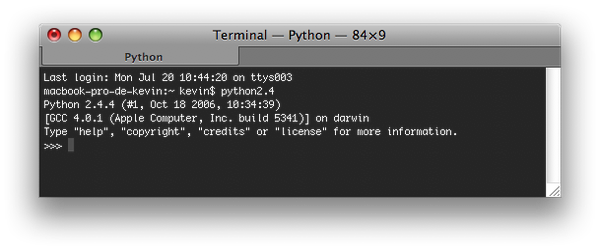
Browsing the net, I found the repository of the “fat python” project , were you can find a universal binary installer for Mac OS X Panther . I’ve just installed it on my brand new Mac OS X 10.5.7 and it seems to works perfectly:
Now that the most annoying part (to me) is done, we can install Plone via
zc.buildout
.
Before going further, you need to have a machine that is able to compile code, which mean Apple’s developer tools must be installed locally. These software are available for free on the second DVD that ships with every Mac OS X copy.
First we create our project directory, then we download, from its SVN repository, the bootstrap code of buildout:
$ mkdir -p ~/plone-vanilla
$ cd ~/plone-vanilla
$ curl https://svn.zope.org/*checkout*/zc.buildout/trunk/bootstrap/bootstrap.py --output ./bootstrap.py
Then we create our buildout config file and edit it:
$ touch ./buildout.cfg
$ vi ./buildout.cfg
The
buildout.cfg
file should contain the following directives, which tell
buildout to install Plone 3.2.3, Zope 2.10.8 and all their dependencies:
[buildout]
find-links = https://dist.plone.org
             https://download.zope.org/ppix
             https://download.zope.org/distribution
             https://effbot.org/downloads
             https://dist.plone.org/release/3.2.3
extends = https://dist.plone.org/release/3.2.3/versions.cfg
versions = versions
parts = zope-server
        zope-instance
eggs = PIL
       Plone

[zope-server]
recipe = plone.recipe.zope2install
url = https://www.zope.org/Products/Zope/2.10.8/Zope-2.10.8-final.tgz
fake-zope-eggs = true
additional-fake-eggs = ZConfig
                       pytz

[zope-instance]
recipe = plone.recipe.zope2instance
zope2-location = ${zope-server:location}
user = admin:admin
debug-mode = on
verbose-security = on
eggs = ${buildout:eggs}
Now let’s build our Plone and Zope environment:
$ python2.4 ./bootstrap.py
$ ./bin/buildout
At the end, if your build process didn’t fail, you’ll be able to start your Zope server:
$ ./bin/zope-instance
program: /Users/kevin/plone-vanilla/parts/zope-instance/bin/runzope
daemon manager not running
zopectl> start
. daemon process started, pid=17585
zopectl> logtail
------
2009-07-20T20:42:26 INFO ZServer HTTP server started at Mon Jul 20 20:42:26 2009
    Hostname: 0.0.0.0
    Port: 8080
------
2009-07-20T20:42:35 INFO Marshall libxml2-python not available. Unable to register libxml2 based marshallers.
------
2009-07-20T20:42:59 INFO Zope Ready to handle requests
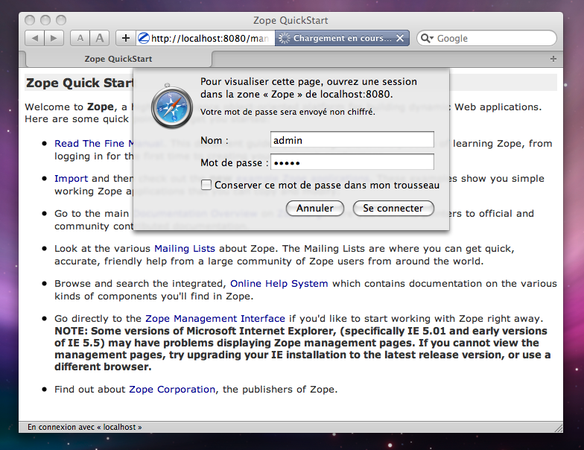
Then you can fire up Safari, go to
http://localhost:8080/manage
(default
Zope config), and login as the
admin
user (password:
admin
):
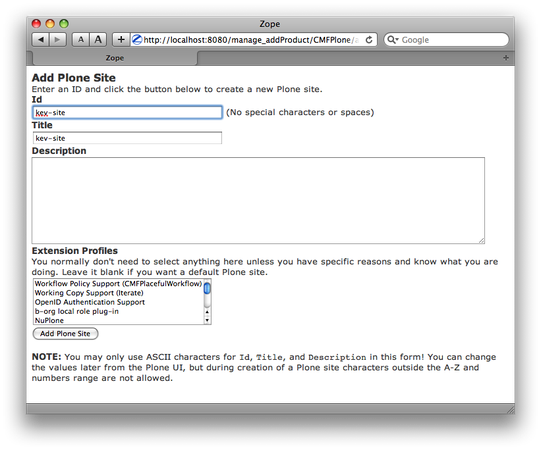
Create a Plone site:
Check that your using the right version of Plone in the control panel: