
In this post I’ll show you how I installed Python 2.4 on Mac OS X Leopard and how, starting from a bare
Python environment, we can build a stand-alone Zope 2.10 instance with Plone
3.2 thanks to
zc.buildout
.
If your goal is to play with or evaluate Plone (or if you don’t know what
zc.buildout
is), then this article will lead you to some troubles and pain.
The Plone community maintain a collection of out-of-the-box and ready-to-use
installers for all major platforms. So before going further, I strongly advise
you to use the
official Plone installer for Mac OS
X
. This is much simpler and faster than the
process described below.
Now that all Plone newcomers are redirected to the right place, I can start to talk about how to install Python 2.4 on Mac OS X. Why the 2.4 release? That’s simple: Mac OS X Leopard ships with Python 2.5, but Plone 3 requires Python 2.4.
To get Python 2.4 on your machine, you can install it from its source code . But this is too much work for me. There should be a way to do it easier and faster… And there is.
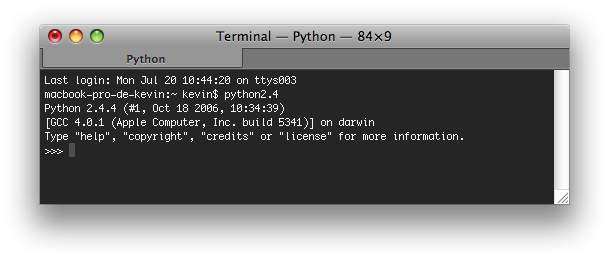
Browsing the net, I found the repository of the “fat python” project , were you can find a universal binary installer for Mac OS X Panther . I’ve just installed it on my brand new Mac OS X 10.5.7 and it seems to works perfectly:
Now that the most annoying part (to me) is done, we can install Plone via
zc.buildout
.
Before going further, you need to have a machine that is able to compile code, which mean Apple’s developer tools must be installed locally. These software are available for free on the second DVD that ships with every Mac OS X copy.
First we create our project directory, then we download, from its SVN repository, the bootstrap code of buildout:
1$ mkdir -p ~/plone-vanilla
2$ cd ~/plone-vanilla
3$ curl https://svn.zope.org/*checkout*/zc.buildout/trunk/bootstrap/bootstrap.py --output ./bootstrap.py
Then we create our buildout config file and edit it:
1$ touch ./buildout.cfg
2$ vi ./buildout.cfg
The
buildout.cfg
file should contain the following directives, which tell
buildout to install Plone 3.2.3, Zope 2.10.8 and all their dependencies:
[buildout]
find-links = https://dist.plone.org
             https://download.zope.org/ppix
             https://download.zope.org/distribution
             https://effbot.org/downloads
             https://dist.plone.org/release/3.2.3
extends = https://dist.plone.org/release/3.2.3/versions.cfg
versions = versions
parts = zope-server
        zope-instance
eggs = PIL
       Plone

[zope-server]
recipe = plone.recipe.zope2install
url = https://www.zope.org/Products/Zope/2.10.8/Zope-2.10.8-final.tgz
fake-zope-eggs = true
additional-fake-eggs = ZConfig
                       pytz

[zope-instance]
recipe = plone.recipe.zope2instance
zope2-location = ${zope-server:location}
user = admin:admin
debug-mode = on
verbose-security = on
eggs = ${buildout:eggs}
Now let’s build our Plone and Zope environment:
1$ python2.4 ./bootstrap.py
2$ ./bin/buildout
At the end, if your build process didn’t fail, you’ll be able to start your Zope server:
 1$ ./bin/zope-instance
 2program: /Users/kevin/plone-vanilla/parts/zope-instance/bin/runzope
 3daemon manager not running
 4zopectl> start
 5. daemon process started, pid=17585
 6zopectl> logtail
 7------
 82009-07-20T20:42:26 INFO ZServer HTTP server started at Mon Jul 20 20:42:26 2009
 9    Hostname: 0.0.0.0
10    Port: 8080
11------
122009-07-20T20:42:35 INFO Marshall libxml2-python not available. Unable to register libxml2 based marshallers.
13------
142009-07-20T20:42:59 INFO Zope Ready to handle requests
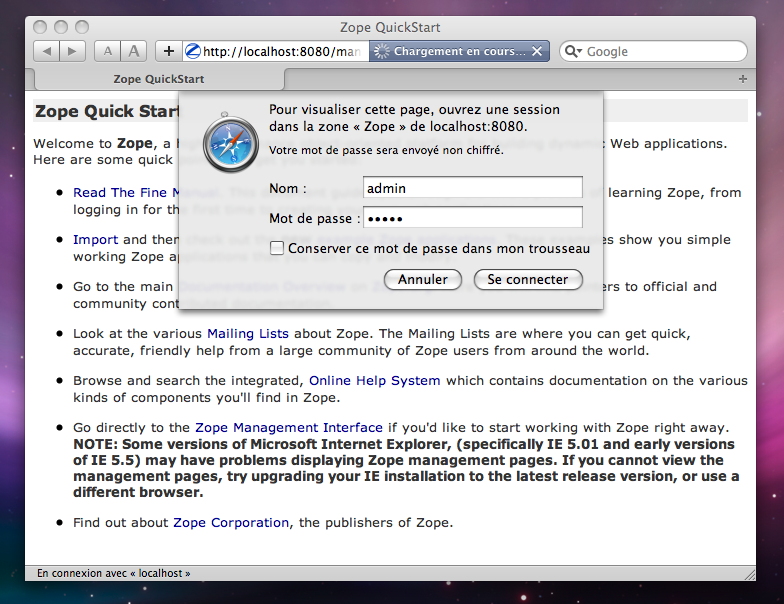
Then you can fire up Safari, go to
http://localhost:8080/manage
(default
Zope config), and login as the
admin
user (password:
admin
):
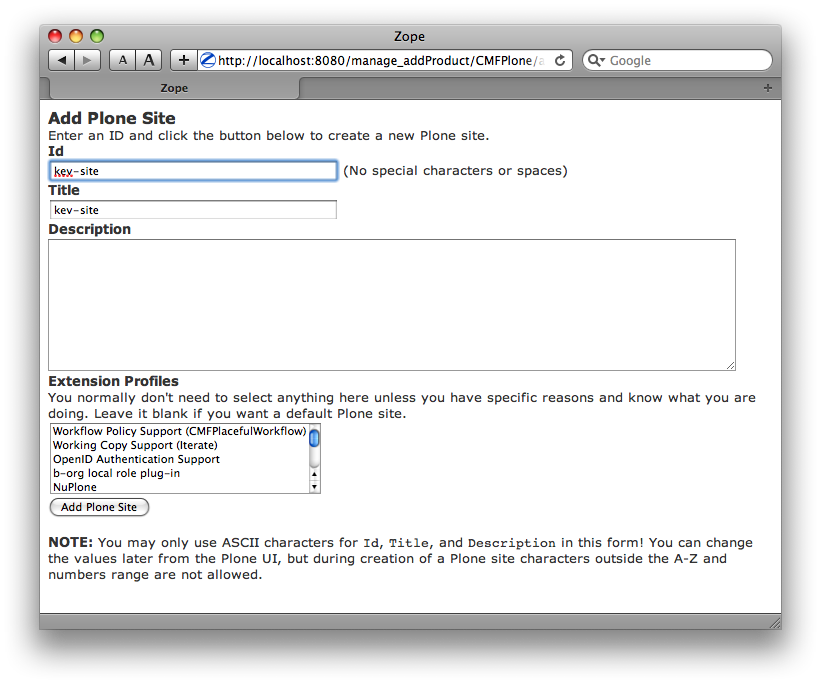
Create a Plone site:
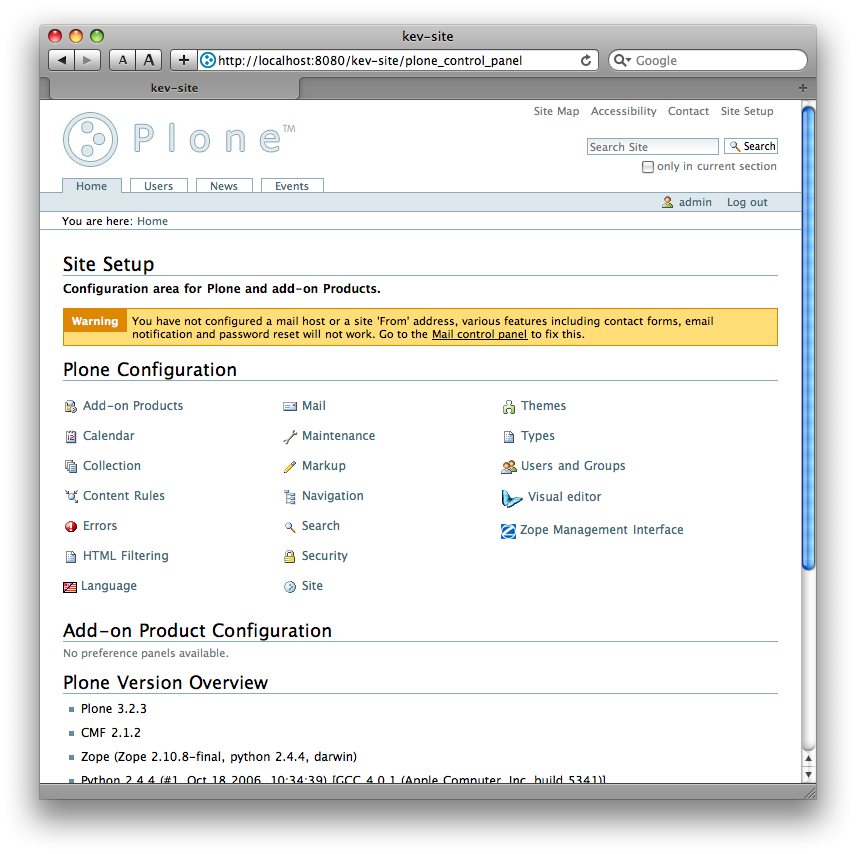
Check that your using the right version of Plone in the control panel:
6 archived comments
Comments are closed. These were posted on Disqus, and are archived here.
-
Any reason why you didn't just use the Unified Plone Installer, or the Mac Plone installer, both of which take care of this for you? Just curious. :)
-
@Alexander: You're right, my little story need a bit of context.
My goal was to test a big buildout config (the one I use for my current customer) that create a full-featured and heavily-customized Plone. That's why I wanted to start from a bare Python 2.4 environment.
In the mean time I discovered "fat python", which saves me time and effort. So I decided to extend my post and include the part showing the Plone setup, as I think Plone deserve a little bit of publicity...
But you are right. From a marketing point of view, it's bad to advertise this as a good way to install Plone: it add excessive complexity and can unnecessarily afraid newcomers, while there is official out-of-box installers available.
-
Cool, that makes sense — which is why I was curious.
Maybe adding a sentence at the start of your how-to mentioning that the installers exist, and why you didn't want to use them would make it clearer. :)
Thanks for the update!
-
@Alexander: Good suggestion ! I've updated my post accordingly. Thanks !
-
-
-
-
Hi Kev,
There's a Python 2.4
.dmgregular installer available from here https://www.python.org/downloads/release/python-244/If MacPorts is installed (a "must have" for any developer on Mac) you just need to:
sudo port install python24
In addition, using the
PasteScript+ZopeSkeleggs makes things easier to create a Zope + Plone instance:$ [sudo] easy_install ZopeSkel $ paster create -t plone3_buildout myinstance
Answer to the wizard and you're done. Note that
ZopeSkelcomes with other interresting code templates for Plone (portlet, PAS plugin, theme, ...)-
If MacPorts is installed (a “must have” for any developer on Mac)
Yes Gilles, you're absolutely right: MacPorts is the way to go to keep things simple. In fact I discovered that Python 2.4 was available in MacPorts several weeks after I published this article. You'll also find there
python-ldapwhich is quite painful to compile from scratch without MacPorts.
-