
I’m a long time user of the Contextual Related Posts plugin for WordPress.
The thing is that if you activate thumbnails, you’ll end up with this kind of ugly list:
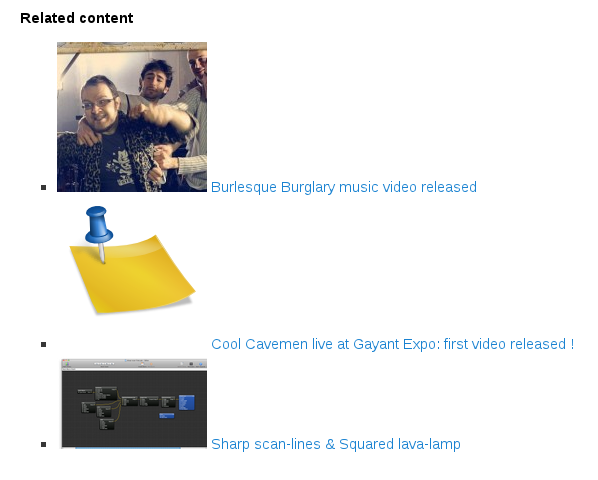
So I’ve written some CSS to beautify this, and make the final result aligns with TwentyEleven (WordPress default theme):
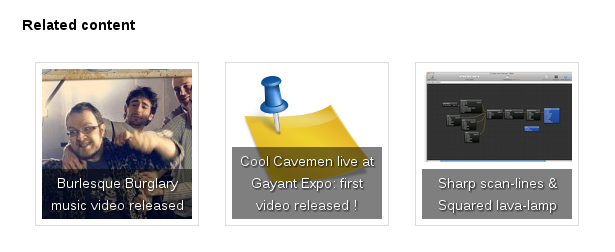
And here is the CSS producing the result above:
#crp_related ul {
    list-style: none;
    float: left;
    margin: 0;
}

#crp_related li,
#crp_related a {
    float: left;
    overflow: hidden;
    position: relative;
    text-align: center;
}

#crp_related li {
    margin: .9em;
    border: 1px solid #ddd;
    padding: 6px;
}

#crp_related li:hover {
    background: #eee;
    border-color: #bbb;
}

#crp_related a {
    width: 150px;
    height: 150px;
}

#crp_related a:hover {
    text-decoration: none;
}

#crp_related img {
    max-width: 150px;
    margin: auto;
}

#crp_related .crp_title {
    position: absolute;
    height: inherit;
    bottom: 6px;
    left: 6px;
    padding: 3px;
    width: 144px;
    /* = 150px - (3px * 2) */
    color: #fff;
    font-size: .9em;
    text-shadow: #000 .1em .1em .2em;
    background: rgb(0.5, 0.5, 0.5);
    background: rgba(0, 0, 0, 0.5);
}

#crp_related li:hover .crp_title {
    background: rgb(0.2, 0.2, 0.2);
    background: rgba(0, 0, 0, 0.8);
}
I’ve integrated this CSS code via a widget, using the same technique I’ve detailed here .
This CSS was tested against the version 1.7.2 of Contextual Related Posts , and for reference, here is my plugin configuration:
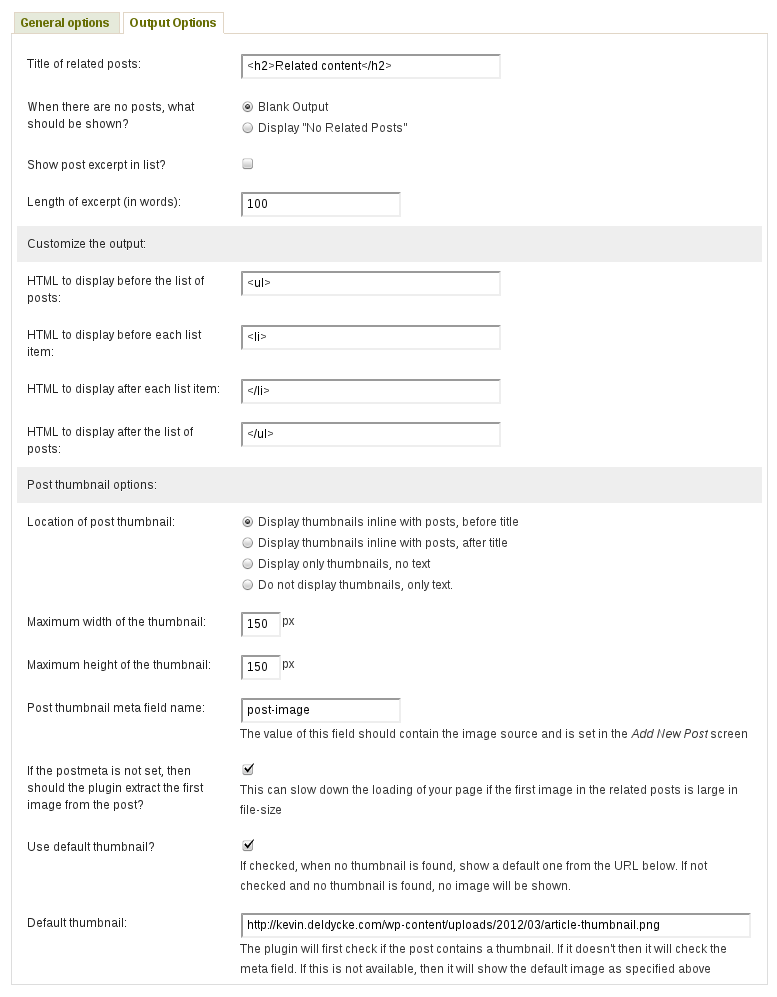
And FYI, my post default thumbnail is from KDE’s
Oxygen icon set
, which I found on my system in
/usr/share/icons/oxygen/128x128/apps/knotes.png
.
18 archived comments
Comments are closed. These were posted on Disqus, and are archived here.
-
Perfect.
I Like it.
Thank you -
Thanks that worked for me :)
-
Kevin, you did a fantastic job on this and I wanted to thank you very much for sharing it! I decided to make the images 155 x 220. By making them a little longer the text usually only covers about a third of the image. I also added a 1px black border on the images to match the other photos on my site. Here's a link showing the images near the bottom: http://www.vegasnews.com/7499/kendra-wilkinson-kicks-off-memorial-day-weekend-with-holly-madison-at-wet-republic.html
The only thing I can't figure out is how to reduce the space under "Related Content" and the images. Anyway, thanks again!-
Oops, I just noticed one unfortunate thing. Under IE9 all the images are solid black. I hope there might be a quick fix for this! Thanks!
-
Let me add that this "all black images" problem appears to only be on my site so it must be some CSS issue that I introduced. :(
-
-
-
This is awesome. Many thanks for sharing.
-
I love this! I have used it on my blog - thank you so much! :)
-
Awesome! Thank you very much.
-
Thanks a lot! I used your css as a basis for my own:
See below this post for what I made of it:
-
Thanks for a great plugin. I've been using it for a few months, but just buckled down and figure out how to polish some things up on the CSS following this post.
I used a slight variation as I wanted to use some wider images (more rectangular).
Thought I'd share my css in case it helps someone else move through things faster... :)
Note I used width of 230px and height of 120px 75 words for titles and no excerpts.
#crp_related ul {
  list-style: none;
  float: left;
  margin: 1px;
}
#crp_related li, #crp_related a {
  float: left;
  overflow: hidden;
  position: relative;
  text-align: center;
}
#crp_related li {
  margin: .9em;
  border: 0px solid #ddd;
  padding: 6px;
}
#crp_related li:hover {
  background: #eee;
  border-color: #bbb;
}
#crp_related a {
  width: 230px;
  height: 165px;
  margin-bottom: 10px;
}
#crp_related a:hover {
  text-decoration: none;
}
#crp_related img {
  max-width: 230px;
  margin: auto;
}
#crp_related .crp_title {
  position: absolute;
  height: inherit;
  bottom: 0px;
  left: 0px;
  padding: 3px;
  width: 224px;  /* = 230px - (3px * 2) */
  color: #fff;
  font-size: 1.1em;
  text-shadow: #000 .1em .1em .2em;
  background: rgb(0.5, 0.5, 0.5);
  background: rgba(0, 0, 0, 0.5);
}
#crp_related li:hover .crp_title {
  background: rgb(0.2, 0.2, 0.2);
  background: rgba(0, 0, 0, 0.8);
}
-
Me too! Used your code to help style my related products pages on my shopping site! Thank you for sharing!
I set the options page to show 25 characters of Title, no excerpts and then I modified the code above:
#crp_related a {
width: 150px;
height: 150px;
}
to:
#crp_related a {
width: 135px;
height: 135px;
}
In order to fit them across the width of my site:
NOTE TO NU USERS LIKE ME: I had to adjust the size of the related post images in the code above itself and not the image size on the plugins options page. Changing the image size on the options page itself does not work after adding the code above.
U can see an example here if you want: http://adshopez.com/11895/wheelhouse-version-edition/
-
Thanks for sharing this css style, it just looks great !
-
A huge THANK YOU! your beautiful code did beautiful things to my CRP plugin :) the CRP default style was not suitable for me but the plugin itself is excellent, fast and now with your code it is beautiful :) Thanks!
-
Thank you, the original was so ugly I can't imagine why this isn't included. Thank you. I used it at http://GypsyMom.com
-
Oh man, HUGE thanks on putting this together! I was about to uninstall the plugin but this made it a million times better. Thanks!
-
Thank you very much for this great CSS code.
Could anyone tell me how can I truncate title text?
-
Thanx, this helped me a lot!
-
Thanks for a great plugin. I've been using it today... Thank you very much! :)