
Installing APC on Debian Squeeze is as simple as installing the package:
1$ aptitude install php5-apc
In my case this package come from the PHP bundle distributed by the Dotdeb repository .
If installing APC is easy, monitoring it with Munin requires some extra
manipulations. There is currently no good APC plugin available on Munin
Exchange (
https://exchange.munin-monitoring.org/plugins/search?keyword=apc
). So
we’ll use the external
munin-php-apc
project
instead.
The latter can’t get APC statistics by itself: it need an extra PHP file to be served locally. As you can read in my previous article, my Munin is powered by Nginx . So now we’ll setup Nginx to serve this extra PHP file:
1$ mkdir -p /var/www/apc
2$ cd /var/www/apc
3$ wget https://munin-php-apc.googlecode.com/svn/trunk/php_apc/apc_info.php
4$ chown -R www-data:www-data /var/www/apc
Then I need to update my
/etc/nginx/sites-available/munin
file (see
details
about this file on my previous
article
)
to have the second
server
section look like this:
server {
  server_name localhost;
  include /etc/nginx/php.conf;
  root /var/www/apc;
  allow 127.0.0.1;
  deny all;
  location / {
    access_log off;
  }
  location /nginx_status {
    stub_status on;
    access_log off;
  }
}
Here the included
/etc/nginx/php.conf
file is the one in which I’ve
concentrate all the Nginx directives required to activate PHP file parsing. The
content and the mechanism behind this file is describe in my
article on
setting up Nginx with
PHP-FPM
.
Let’s get back to our Munin monitoring setup. I can restart now Nginx and check that I can access locally to my raw statistics:
1$ /etc/init.d/nginx reload
2$ wget http://localhost/apc_info.php
3$ wget http://localhost/nginx_status
The last step is to install and configure the Munin plugin:
 1$ aptitude install libwww-perl
 2$ wget https://munin-php-apc.googlecode.com/svn/trunk/php_apc/php_apc_ --output-document=/usr/share/munin/plugins/php_apc_
 3$ chmod -R 755 /usr/share/munin/plugins/
 4$ ln -s /usr/share/munin/plugins/php_apc_ /etc/munin/plugins/php_apc_usage
 5$ ln -s /usr/share/munin/plugins/php_apc_ /etc/munin/plugins/php_apc_hit_miss
 6$ ln -s /usr/share/munin/plugins/php_apc_ /etc/munin/plugins/php_apc_purge
 7$ ln -s /usr/share/munin/plugins/php_apc_ /etc/munin/plugins/php_apc_fragmentation
 8$ ln -s /usr/share/munin/plugins/php_apc_ /etc/munin/plugins/php_apc_files
 9$ ln -s /usr/share/munin/plugins/php_apc_ /etc/munin/plugins/php_apc_rates
10$ echo "[php_apc_*]
11user root
12env.url http://localhost/apc_info.php?auto
13" > /etc/munin/plugin-conf.d/php_apc
14$ /etc/init.d/munin-node restart
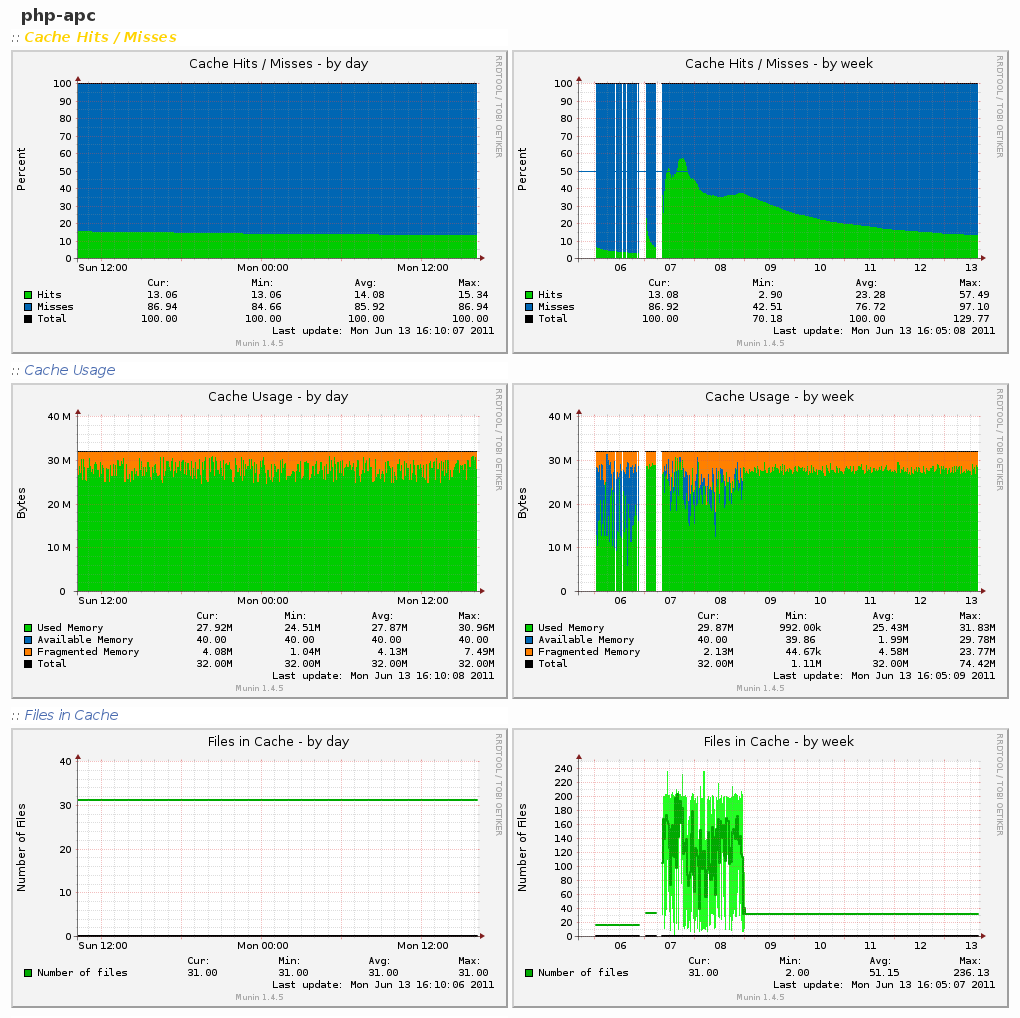
And finally, after a while, you’ll get those beautiful graphs:
4 archived comments
Comments are closed. These were posted on Disqus, and are archived here.
-
I don't know if you'll ever read this, but i need some help with the stats...
i'v nginx in front of apache and i can get the stats from the plugin via an external link that contains munin, but i can't get it via localhost......
-
"nginx in front of apache" ? Are you crazy ? Just use Nginx and drop Apache.
-
-
Your stats tells me that you have way to little ram allocated to APC
-
Thanks for the tip Håkon, this was just a quick and dirty setup, lacking proper fine tunning.
-